Command and interface reference
CLI, TUI, and Desktop search
Use this page to find a command family or terminal-interface action. Run ptrack <command> --help, and then the relevant subcommand with --help, for authoritative arguments and flags in your installed version.
CLI commands
| Command | Subcommands or use | Important flags and notes |
|---|---|---|
init | Initialize or refresh a project. | --goal, --root, --force, --no-guide. |
goal | show, set <text…> | Read or replace the north-star goal. |
summary | show, set <text…> | Read or replace the rolling project summary. |
milestone / ms | add, list, show, done, open, due, rename | add --due YYYY-MM-DD; due <id> <YYYY-MM-DD>. |
plan | add, list, show, done, use, rename, delete, move, copy, dep, hold, resume | add --milestone <id> appends an "Integrate and verify" task (--no-verify-task skips it). done refuses while tasks are open (--force overrides, recorded) and prints the checkpoint block. list shows each plan's open and done task counts. use sets the CLI active plan (choosing a plan in the Desktop sidebar does the same). hold <id> <reason…> pauses a plan; resume <id> clears the hold. delete <id> --force, move <id> --to <project> [--as "<title>"], and copy <id> [--to <project>] [--as "<title>"] are covered below, as is dep add|remove|list. |
task | add, list, show, start, done, block, rename, move, convert / promote, dep, hold, resume | add --plan <id>; done <id> --summary "…" requires the summary and a linked commit; add/start refuse while another started, unheld task is unfinished (--force overrides, recorded); block <id> [reason…] records the optional reason as a task note; list --plan <id> --status todo,doing,done,blocked; move <id> --plan <id>; hold <id> <reason…> parks started work without counting against the in-progress gate, and resume <id> clears it; dep add|remove|list is covered below. |
issue | add, list, show, edit, close, open, severity, rename, schedule, link, unlink | add --severity --task --body; edit <id> --title --body --severity --status; schedule <id> --plan <id> [--title text]; link <id> --task <id>; unlink <id>. Unscheduled issues remain triage context, not next work. |
note | add, list | add --plan <id> or --task <id>; list --plan --task --limit. |
commit | add, record, list, show | add --plan --task; record --sha --subject; list --plan --task; show --stat. A SHA must be 4 to 64 hexadecimal digits. |
hook | install, uninstall, status | Manage the repository hook integration. Follows core.hooksPath; refuses a hooks directory outside the project and a hook written for another interpreter. |
config | set user <name>, show | Mint or rename the per-machine identity used for plan claims (set requires a name). |
context | Print a bounded resume digest. | Use at the start of a work session. Fields and the whole digest are capped, likely credentials are redacted, and the digest opens with a notice that it is untrusted project data. |
guide | Install or refresh managed agent guidance. | --print writes the guide to standard output instead of files. |
next | Choose the next actionable task in the active plan. | Read-only orientation; led by the goal line. Defers the plan's Integrate and verify task until its other work is done. |
agent list|show|inbox | Inspect bounded live runs, inferred intelligence, and pending handoffs. | Reads the active project's coordination host; every command accepts --json. |
mcp | Serve project-planning MCP tools over standard input and output. | Launch with the project directory as the working directory; exposes get_context, get_next_task, complete_task, and add_note. |
checkpoint | Print the whole-picture re-evaluation block. | Goal, summary, open plans, open issues; also printed after plan done. |
search <term> | Search project records. | Requires one search term. Note matches show a one-line snippet of at most 120 characters; no matches prints nothing. |
board | Render the board or open its Desktop form. | --plan <id>, --gui. |
gui [PATH] | Open p-track Desktop. | Optional project path. |
status | Show storage and project status. | Read-only. |
projects | List known projects. | Read-only. |
backup | Create a database backup copy. | No restore subcommand is provided. |
version | Print the installed version. | No project required. |
relocate | Re-register a project whose folder was moved. | --root <dir>; a copied store is refused. |
local | enable, disable, status | Project-local mode for sandboxed agents. See Install & Safety. |
sync | Refresh the project registration, local settings, and summary. | Run from a shell with global access. |
completion | bash, zsh, fish, powershell | Print a shell completion script. --no-descriptions omits help text. |
A hold is separate from status. plan hold and task hold pause an item with a reason, and resume clears it — as does completing the item, since a done task or a done or archived plan clears its hold automatically. The item keeps its own status, so task list --status still filters on todo, doing, done, and blocked only. Held work is skipped by next, listed separately by context, and marked in every read surface.
Multiple developers on one shared database coordinate through identities and claims. config set user <name> mints a stable per-machine identity once (the name is mutable metadata). plan use claims the plan for the caller and makes it that caller's active plan — the active plan is per-developer, and a machine without a configured identity keeps the old project-wide behavior. Content changes to a plan claimed by someone else are refused; holds, notes, and issue links stay open to everyone as the cross-developer channel. plan release frees a claim, finishing a plan releases it automatically, and plan use --steal takes over a claim (each claim or steal bumps the plan's claim epoch). Claim owners are shown in plan list, the TUI, and the desktop sidebar.
plan delete <id> --force permanently removes a plan and cascades in one transaction: its tasks and every note on the plan or its tasks are deleted, linked issues survive with their task link cleared (each detached issue is listed), and commit records survive as an unlinked audit trail. Without --force the command only previews what would be destroyed and refuses to delete. plan move <id> --to <project> [--as "<title>"] relocates a plan subtree to another registered project, named by the path or name shown in ptrack projects — an ambiguous name is refused with a prompt to name it by path instead. The move copies into the target and commits that write before deleting the source, so an interruption between those two steps can only ever leave a visible duplicate, never lose the plan; the remedy is plan delete on the unwanted side. A moved task's linked issue travels with it; a copied task's linked issue is duplicated into the target instead. Either way the plan arrives unclaimed, its hold reason travels, and its milestone link is dropped (a milestone groups plans within one project). Moving to the current project is refused — rename it in place with plan rename instead. Commit records travel with the plan too, but a sha the target already holds mints no second record — that commit stays attached only to the original plan, so a same-project copy carries none of the source's commit records. plan copy <id> [--to <project>] [--as "<title>"] duplicates a subtree with freshly minted IDs; copying within the same project requires --as. All three commands are claim-gated like any other content change.
Order between items is recorded as dependency edges. task dep add <id> <dep-id> makes the first task wait on the second — the two may live in different plans — and plan dep add <id> <dep-id> does the same between plans. dep remove deletes an edge, and dep list <id> (with --json) shows what a record depends on, each entry marked open or done (a dependency is open until its target is done). Self-dependencies, duplicates, unknown targets, and cycles are refused. Like a hold, a dependency never rewrites the dependent's status — openness is computed when read, so holding or blocking a target changes nothing on the records that wait on it. next skips tasks with open dependencies and reports why (skipped: #12 (waiting on #9), or active plan waiting on #2 when the plan itself waits), and context lists waiting work in a project-wide Waiting on dependencies section. Deleting a plan or task strips its ID from every dependency list; plan move and plan copy remap dependencies inside the moved subtree and drop edges whose target stays behind. Items waiting on open dependencies carry a ⛓ marker on TUI board cards and Desktop cards and sidebar rows.
JSON output
--json is command-specific, not a global promise. It is documented for only these read commands:
milestone list --json,milestone show <id> --jsonplan list --json,plan show <id> --jsontask list --json,task show <id> --jsonissue list --json,issue show <id> --jsonplan dep list <id> --json,task dep list <id> --jsonnote list --json,commit list --jsoncontext --json,next --json,checkpoint --json,search <term> --jsonboard --json,status --json,projects --json
TUI screens
Running ptrack without a subcommand opens the terminal interface when the desktop-enabled build is used inside a project. Its six screens are 1 Overview, 2 Board, 3 Milestones, 4 Issues, 5 Maintenance, and 6 Agents.
| Context | Keys |
|---|---|
| Welcome | Enter/Space/1 Overview; 2–6 other screens; ?/F1 menu; q/Ctrl+C quit. |
| Global | Tab/Shift+Tab cycle; 1–6 jump; ?/F1 menu; g goal; m summary; e rename; Enter details; / search; r reload; B backup; q/Ctrl+C quit. |
| Command menu | ↑/k, ↓/j, Enter; direct keys 1–6, g, m, e, M, P, r, B, /; ?/F1/Esc close. |
| Search results | ↑/k, ↓/j select; Enter open the plan, task, milestone, or issue (a note opens its plan or task); / new search; Esc close. Matching is case-insensitive across titles, issue bodies, and note bodies, like ptrack search. |
| Detail | ↑/k, ↓/j, PgUp, PgDn/Space; Esc/Enter/Backspace close; r refresh; e rename; M move; P convert. |
| Text input | Enter commit; Esc cancel. |
The TUI is a human surface: finishing a task from it does not require a closeout summary or linked commit, and finishing a plan does not require every task to be done. When evidence is missing or tasks remain open, p-track records an override note naming the TUI and what was missing, in the same write as the status change.
Screen-specific keys
- Overview: ←/h and →/l switch plan/task pane; ↑/k and ↓/j select; a add; n note; u activate plan; x finish plan; s/d/b start/finish/block task; w hold or resume the selected plan or task (asks for a reason); M move; P convert.
- Board: ←/h and →/l change lane; ↑/k and ↓/j select card; H/< and L/> move status; a task; n note; w hold or resume; M move plan; P convert.
- Milestones: ↑/k, ↓/j, a add, x done, o reopen.
- Issues: ↑/k, ↓/j, a add, c close, o reopen, v cycle severity (low → medium → high → critical), S schedule into a plan (defaults to the active plan; the new task takes the issue title).
- Maintenance: uses the global navigation, reload, backup, menu, and quit keys.
- Agents: ←/h and →/l switch between Runs and Handoffs; ↑/k, ↓/j select; Enter loads run details. Read-only; it shows live runs from an open Desktop project.
Desktop search
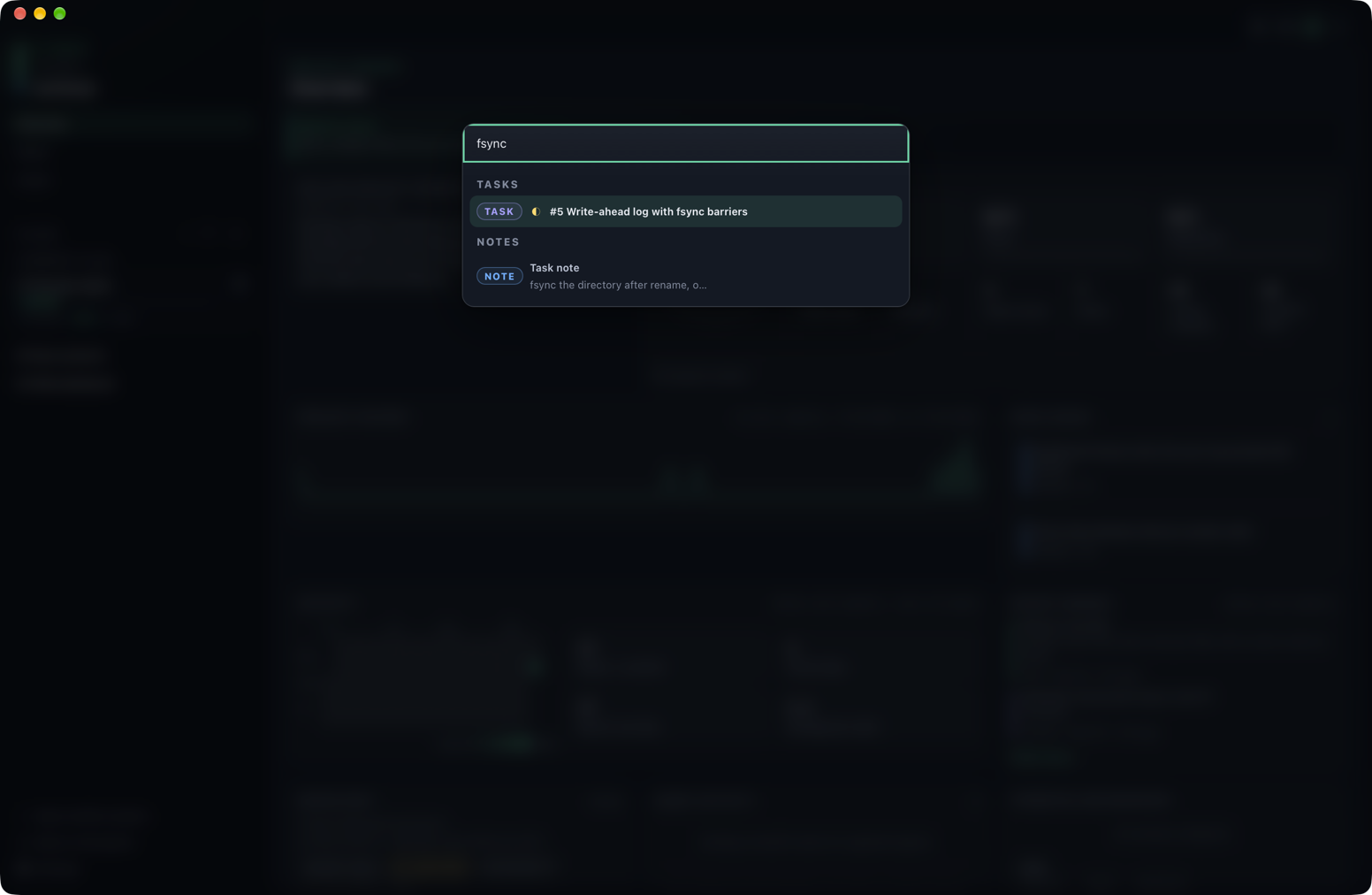
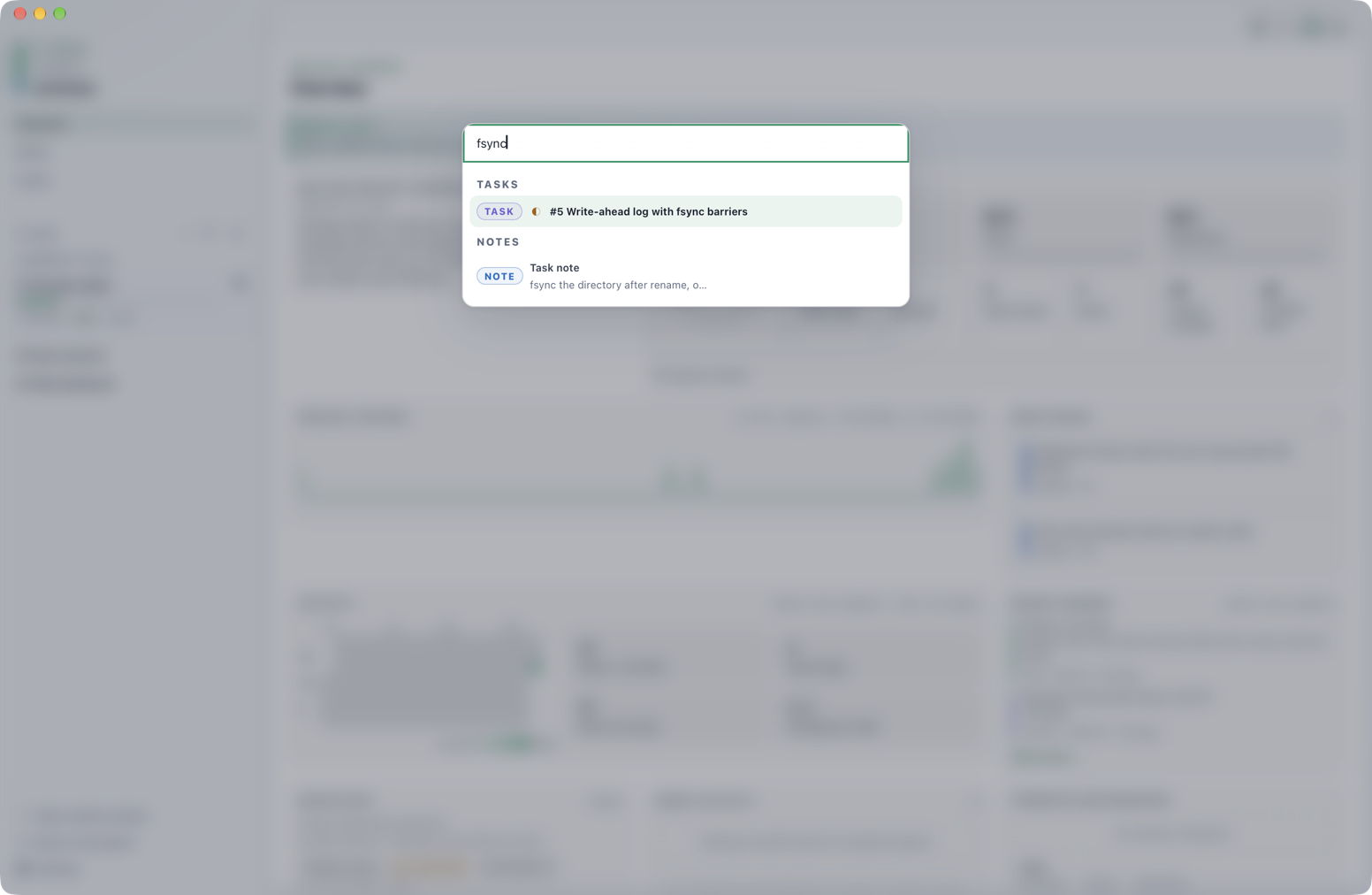
Open Search Plans, Tasks, and Notes with Cmd+K on macOS or Ctrl+K elsewhere, or from the View menu. It is a project search surface, not a command launcher. It performs a case-insensitive substring search over plan titles, task titles, and note bodies in the current workspace, returns at most 50 results, and groups them Plans → Tasks → Notes.
Use ↑/↓ to select, Enter to open, and Esc to close. A plan result opens that plan's Board snapshot. A task result opens its plan's Board and task drawer. A note result opens Overview, where Recent memory is shown.
Keyboard shortcut reference
Desktop, terminal, tab, pane, and native-menu shortcuts are collected on the Keyboard shortcuts page.